Carbon Literacy Certificate
So you’ve done your Carbon Literacy Training with Lead with Sustainability, completed your evidence form and received your certificate back.
Many congratulations! We’re delighted about your success.
Sharing about your qualification is of course a great way of encouraging others to cut their carbon, so if you’d like to post about it on LinkedIn or other social media, here’s some quick and easy ways to do it.
Please do tag our founder Anne Snelson in any posts you do about this too.
Sharing A Photo of You With Your Certificate
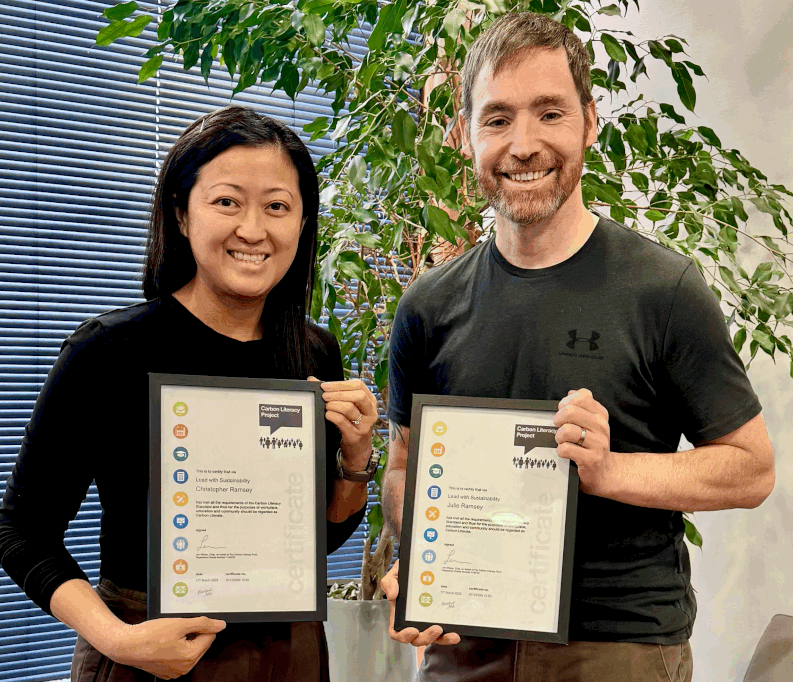
You can, of course, simply take a selfie or get someone to take a photo of you holding your certificate and use that as your post.
You can see a great example of that here where Chris and Julie Ramsay posted about their certification.

Adding Your Carbon Literacy Certificate as a Qualification on LinkedIn
If you want to add your Carbon Literacy Certificate as a qualification on LinkedIn, you will be asked for a unique URL to demonstrate your certification.
The best way to do that is for you to save your certificate to a publicly accessible drive and share the link. Here’s how:
Adding Your Certificate to Facebook and Instagram
On sites like Facebook and Instagram, it’s a lot simpler to share your success. Simply take a photo of your certificate. Write a post and attach the image as part of the post. Simple!
Add The ‘Certified Carbon Literate’ Logo To Your Email Footer Or LinkedIn
You can also download the official ‘Certified Carbon Literate‘ logo to add to your email footers and your LinkedIn profile.
Just right click on the image and save it or click this link here.

Sharing Your Success
We love to celebrate the success of our learners, so please tag our founder, Anne Snelson and our company, Lead With Sustainability too. That means we’ll hopefully spot your post and can give our public congratulations so people will see it even more!
And if there’s something that has particularly stuck with you about the training, please do include that in the post. We love to know what you’re focusing on and the difference it has made.
Many thanks!
Anne

Ready To Make An Impact?
Invest one day. Reap long-term rewards.
✅ Compliance ✅ Cost savings ✅ Retention ✅ Reputation
📌 Spaces fill quickly – reserve your place today